Height & Contour line
Teaching Demonstration
The following demonstration shows the teaching procedures of Height & Contour line by using ARGEO Portable.
Apply the “Preset terrain
 ” function. Select “Height & Contour line”.
Adjust the “Vertical Interval” to 40 on the “Environment Options
 ”.
”.
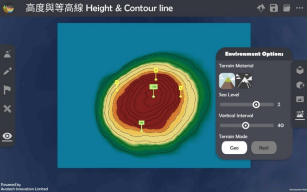
Refer to the information provided on the map. Find the height of point A, B and C.
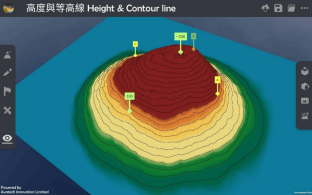
Teachers can create more landforms for teaching.
下載教學資源
Teaching Demonstration Download Here
工作紙及答案(中文版) Download Here
工作紙及答案(英文版) Download Here