Straight-line distance
Teaching Demonstration
The following demonstration shows the teaching procedures of Straight-line distance by using ARGEO Portable.
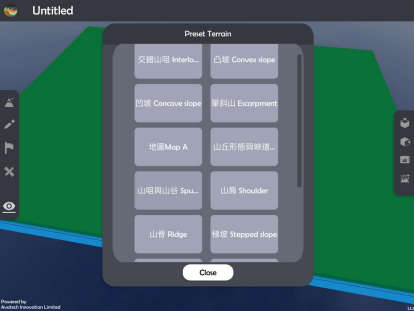
Select a “Preset Terrain
 ” or use “Terrain Modifying
  ” function to form a terrain. The following example is “地圖 Map A”.
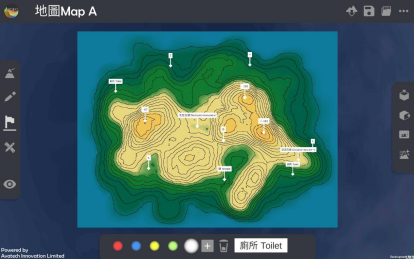
Apply “Labelling Tools
 ” to mark two points on the terrain.
Apply “Map View
 ”.
”.
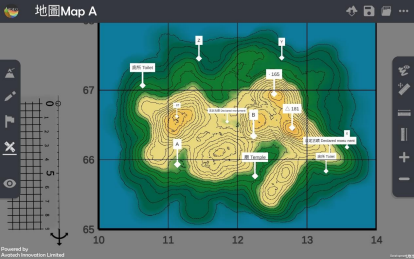
Apply “Get Ruler” to show the ruler on the screen.
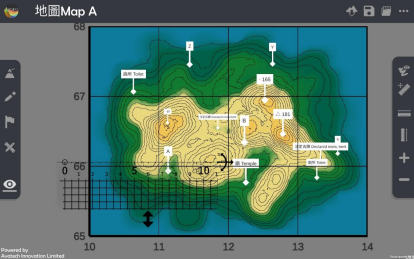
Place and adjust the ruler on the two points. The following example is to measure the distance between toilet (106670) and spot height 165 (125669).
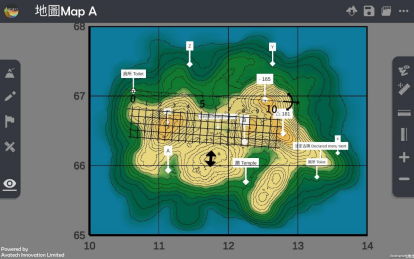
Calculate the straight-line distance.
下載教學資源
Teaching Demonstration Download Here
工作紙及答案(中文版) Download Here
工作紙及答案(英文版) Download Here